Tag: Technology
1993 1.8 Liter Impreza Turbo FAQ
by Subachad on Mar.02, 2010, under Automotive
Disclaimer: This article is written for information purposes only. I have done a lot of research on these subjects and though to my belief it may be true, I do not take responsibility for any misinformation. These are the most common questions I get and so I thought I would write a FAQ. If you have any questions or comments please fill out the feedback form.
How much boost will my Impreza handle?
Install UVNC From Command Line or Remote Desktop
by Subachad on Feb.08, 2010, under Technology
UVNC is a great open source progam for connecting to servers or PC’s. One of the major setbacks however is the difficulty in installing UVNC while connected with Remote Desktop, or RDP. The problem is it will run as the signed in user and even if you are signed into the console it still doesn’t seem to work right. Here are a couple of batch files I have written to uninstall UVNC and then another to reinstall UVNC. These can be used with a Remote Desktop (RDP) connection or through command line as well. To use these, simply copy the contents into a text file and save as UVNC-Uninstall.bat or UVNC-Install.bat.
(continue reading…)
A better Task Switcher AKA Alt-Tab Replacement
by Subachad on Oct.17, 2009, under Technology
If you regularly run multiple programs on your PC, then VistSwitcher is an Alt+Tab replacement well worth checking out. It replaces the standard Alt+Tab with something that is not only more attractive, but a lot more functional as it actually shows the whole screen before you switch to it. For me, this works great when I’m connected to multiple computers through UVNC and each one is doing an update or some other time consuming task. I can check the status of each without digging through the multiple windows.
The program is well under 1mb, and well worth your time to check out.


Fixing Multiple File Extentions Using the Rename Command
by Subachad on Sep.11, 2009, under Technology
Recently I ran across an issue where the file extension was missing on quite a few files. While right clicking on the file and renaming it is not so bad, doing that 47 times couldĀ be quite time consuming. The command line “RENAME” came in to save the day.
1. I copied the files I needed to change into a new folder on the C drive.
2. start / run “cmd” to pull up a command prompt
3. cd c:\rename
4. rename * *.jpg
5. Copied rename files back into the original folder overwriting the files which needed to be changed.
RENAME [drive:][path]filename1 filename2.
REN [drive:][path]filename1 filename2.
Aveo gets an Always on Power Option July 2009
by Subachad on Aug.26, 2009, under Automotive
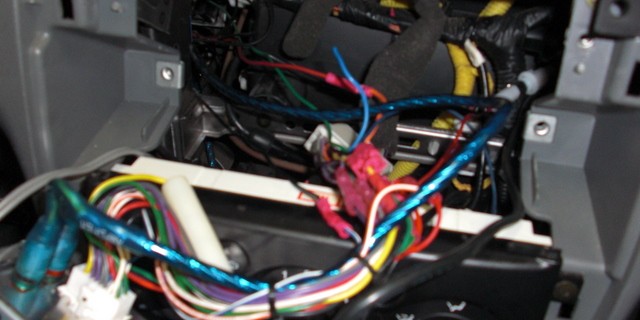
How often do you go out or maybe you are at work and you want to charge your phone but you don’t have a charger. You might have a car charger but leaving your door unlocked with the key in the ignition just doesn’t sound like the best solution. Well this is why some newer cars have an always on power adapter. While I may not consider my five year old Aveo old, it is thoughtful enough to have two chargers, unfortunately none of them stay on all the time.
This seems like a simple fix. Simply tap into the constant memory wire of the stereo and run it to the power outlet. Doing this resulted in a stereo that stayed on as well. OK so it looks like the accessory wire for the deck also runs the extra ac adapter. I then cut the line to the ac plug and replaced it with my new power line. For good measure, I also improved the ground of the ac adapter to help cut down on feedback through my RF adapter.